Tag: Evolution

  • My bits on evolution, part 6

    My bits on evolution, part 6

    Some of my bits for the Swedish Skeptic Podcast, Skeptikerpodden, on evolution and creationism, in Swedish.

    Några av mina bidrag till svenska Skeptikerpodden om evolution och kreationism, på svenska.

    16. Kreationistpropaganda från Bibelfokus.se (del 3 av 3) (från Skeptikerpodden 18/1 2011)

    17. Information och evolution (från Skeptikerpodden 8/2 2011)

    18. Design och förklaringsvärde (från Skeptikerpodden 8/3 2011)

    Föregående

  • My bits on evolution, part 4

    My bits on evolution, part 4

    Some of my bits for the Swedish Skeptic Podcast, Skeptikerpodden, on evolution and creationism, in Swedish.

    Några av mina bidrag till svenska Skeptikerpodden om evolution och kreationism, på svenska.

    10. Föreningen Genesis, del 1 av 2 (från Skeptikerpodden 21/9 2010)

    11. Föreningen Genesis anspråk, del 2 av 2 (från Skeptikerpodden 11/10 2010)

    12. Evolutionsteorins förutsägelser (från Skeptikerpodden 15/11 2010)

    Föregående – Nästa

  • Notable speeches on evolution

    Notable speeches on evolution

    These are in my opinion the currently most important speeches on evolution and creationism. You don’t have to have any preexisting knowledge to be able to follow, and they cover why we know what we know about the occuring evolution and why we know creationism (such as Intelligent Design) is false.

    ID Creationisms Trojan Horse
    Prof. Barbara Forrest, 2008

    The Intelligent Design movement and the Dover-Kitzmiller trial. About 60 min.

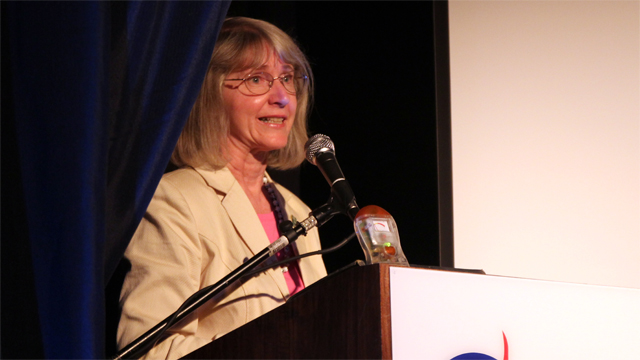
    Creationism: Still crazy after all these years
    Dr. Eugenie Scott, 2009

    A very entertaining history of Intelligent Design. 56 min.

    Why evolution is true
    Prof. Jerry Coyne, 2009

    A lovely introduction on why we know evolution occurs. This talk suffers from a “microphone location problem” but it is fully understandable. 57 min.

  • My bits on evolution, part 3

    My bits on evolution, part 3

    Some of my bits for the Swedish Skeptic Podcast, Skeptikerpodden, on evolution and creationism, in Swedish.

    Några av mina bidrag till svenska Skeptikerpodden om evolution och kreationism, på svenska.

    7. Spår av design (från Skeptikerpodden 17/8 2010)

    8. Gemensam design = gemensam designer? (från Skeptikerpodden 31/8 2010)

    9. Frågor från en kreationist, och svar (från Skeptikerpodden 12/9 2010)

    Föregående – Nästa

  • My bits on evolution, part 2

    My bits on evolution, part 2

    Some of my bits for the Swedish Skeptic Podcast, Skeptikerpodden, on evolution and creationism, in Swedish.

    Några av mina bidrag till svenska Skeptikerpodden om evolution och kreationism, på svenska.

    4. Flodmyter (från Skeptikerpodden 25/5 2010)

    5. Evolutionsteorins tillämpningar (från Skeptikerpodden 7/6 2010)

    6. Artbildning (från Skeptikerpodden 7/7 2010)

    Föregående – Nästa

  • My bits on evolution, part 1

    My bits on evolution, part 1

    Some of my bits for the Swedish Skeptic Podcast, Skeptikerpodden, on evolution and creationism, in Swedish.

    Några av mina bidrag till svenska Skeptikerpodden om evolution och kreationism, på svenska.

    1. “Evolutionism” (från Skeptikerpodden 31/3 2010)

    2. Kreationistiska falanger (från Skeptikerpodden 12/4 2010)

    3. Bevis för evolution (från Skeptikerpodden 3/5 2010)

    Nästa

  • Some visual aid

    To conclude, click on an organism to zoom in on it. When an organism is zoomed in, some details about it is shown together with the DNA string of the parent organisms (if the parents are still alive).

    Download: Drifting.exe

    Happy new year!

    If you are interested in looking at the source code, a VS2010 Visual Basic solution can be downloaded here. The solution targets .NET Framework 2.0.

  • Counting the DNA differences

    The following adjustment is done to the drifting game. In the first version, DNA differences were counted sequentially, meaning that within each group each organism was compared to its neighbor. By changing this so that every organism is compared to every other organism, and then divided to the number of comparisons done within each group, the number of DNA differences within each group is much more accurate. This makes the increasing differences, the drifting, much more obvious.

    The screenshot displays the number of differences just a few years after separation of the groups.

    Download the drifting game here.

  • This is the drifting game!

    The drifting game does not illustrate evolution or the power of natural selection, but change over time and our ability to tell that about relationship to other spices, such as chimpanzees. The board consists of 285 placeholders (19 x 15). Each placeholder can hold one organism. This is an organism.

    The blue number indicates the age in years of the organism. The red number shows the number of offspring the organism has produced. An organism cannot produce offspring on its own; it must mate with another organism of the opposite gender. Light blue rectangle represent male organisms, pink represent female. What else? 😉 The lines are drawn between parents with the child in between.

    In the middle, the DNA of the organism is displayed. The red amino acid pairs with red or yellow amino acid. The green amino acid pairs with green or blue amino acid. A DNA string consists of 24 pairs. The effect of this demonstration will be better if the number of pairs is greater, but it makes the visual overview poorer.

    When organisms breed, the offspring will have a mixture of the parents DNA. Sometimes, mutations occur. Mutations cannot be traced from either parent. A mutation can sometimes be easy to spot, because in a mutation, any amino acid can pair with any amino acid. So a red could pair with a red, but it could also pair with a green. A pair of red and yellow could be a mutation, a pair of red and green is a mutation.

    An organism that isn’t too young or too old might breed and an organism of high age might die and leave room for younger individuals.

    To control: Press Space to pause and press F12 to separate the group in to two groups (can be done once). The expected effect after the split is that the number of DNA differences between individuals in the group will remain the same as the previous total, but the DNA differences between the groups will increase over time, even though no selection is done. The DNA differences are counted for sequentially and divided by the number individuals in a group. So, not every individual is compared with every individual. Correction here.

    Before the population is splitted into two groups (press F12 to do that), the total number of DNA differences is shown. After the population is splitted into two groups, the total number of DNA differences is shown together with the number of DNA differences within each group. Now you can compare the differences within each group (expected to be smaller) with the total number of differences (expected to be larger since the groups are drifting in different directions).

    Download the drifting game here.

  • Making fun things from the knowledge of evolution

    Evolution is a powerful mechanism, and the powerful source that is behind it is decent with modification plus selection. In nature, it has taken us from simple chemical reactions to complex self-aware organism over billions of years. The structure of any living mammal is very complex, and biology is filled with complicated concepts, and nothing would make any sense if we didn’t know about the very simple concept of evolution. In nature, evolution explains why fossils of different ages look different, and it explains the origin of very complex structures like the cell, the immune system and the human brain, and this knowledge casts light over areas that doesn’t have anything to do with biology, like computer science and computer programming.

    Designed structures are usually simple and have one or a few purposes, while evolved structures usually are complex and have multiple functions. Designed structures usually are things. Obstacles, roads, walls, jugs. Evolved structures usually work as things. Pipes, connections, obstacles, skeletons. This is because evolved structures come about without a given purpose, but are maintained and further developed if the structure is useful.

    Can we use the knowledge of our origin get some fun out of our computer? Yes! I have mentioned John Conway’s game of life earlier.

    This is EvoLisa. It is a program that draws polygons and compares them to a picture. Then it changes the polygons slightly, and again compares them to a picture. Changes that make the polygons look more like the picture are kept, other changes are discarded. The result is a computer generated vector based pictures that looks like the original picture. More generations of change and selection, gives a computer generated picture that is more like the original picture. Here, selection is based on comparison to the original picture, in nature, selection is based on what organisms till survive and reproduce.

  • Evolution debate, Fria Tidningen

    This Saturday, I had the honor to write a reply in an ongoing debate on evolution in a Swedish magazine, Fria Tidningen. Check it out here (in Swedish)!

  • Can a cat give birth to a dog?

    Again a post in Swedish. A reply to the argument that evolution is wrong because cats don’t give birth to dogs, used by Kent Hovind among others.

    Artbildning: Kan en katt föda en hund?

  • John Conway’s game of life

    John Conway’s game of life is the simplest known self-organizing system, and it is a good example of evolution. Just like evolution, the environment decides the fitness of the organism. In the case of evolution, the parameters that describe fitness are complex, and in John Conway’s game of life, they are very simple. The game consists of an area of cells. A cell with too few neighbours (none or one) dies from loneliness, a cell with too many neighbors dies from overcrowding. A cell with two or three neighbours survives and an empty space with two neighbours becomes a cell. So the game of life is an infinite iteration of applying rules and adding energy, just like the physical world is. When you start with a world with randomly added cells, and you apply the rules on the world time and time again, the cells will form structures that are more or less stable. A stable structure can be very simple or rarely very complex. If a structure is moving, it can collide with another structure and perish, or form a new structure. Some structures, stable or unstable, form new structures.

    Math.com writes about John Conway’s game of life here. If you have Java installed, you will able to watch the behavior of a few stable structures.

    The following source code (Visual Basic 9) illustrates how simple the games is, and please notice that there is no implementation of intelligence. Intelligence is simply not required to make complex structures. The code is written in a class that inherits from the System.Windows.Forms.Form class.

    'The resources are a 2D map of bytes, a timer
    'and a delegate (for technical reasons).
    Private World(400, 400) As Boolean
    Private WithEvents T As System.Timers.Timer
    Private Delegate Sub DrawBitmapDelegate(ByVal B As System.Drawing.Bitmap)
    
    Private Sub Form1_Load(ByVal sender As System.Object, _
    ByVal e As System.EventArgs) Handles MyBase.Load
    
    	'Start off by placing some (about 11,000) random cells in the world.
    	Dim Rnd As New Random()
    	For I As Integer = 0 To 11000
    		World(Rnd.Next(60, 341), Rnd.Next(60, 341)) = True
    	Next
    
    	'Create a timer - one generation lasts for 20 ms.
    	T = New System.Timers.Timer(20)
    	AddHandler T.Elapsed, AddressOf DoGeneration
    	T.Start()
    
    End Sub
    
    Private Sub DoGeneration(ByVal sender As Object, _
    ByVal e As System.EventArgs)
    
    	'Appy the rules of the simulation on the cells in the world.
    	ApplyRules()
    
    	'Display the world on the screen
    	'(that is, copy to a bitmap, draw the bitmap).
    	DrawWorld()
    
    End Sub

    This makes the main program. The following code defines the functions that are called (ApplyRules and DrawWorld) followed by the functions they call in their turn.

    Public Sub ApplyRules()
    
    	'Create a temporary buffer for the new world.
    	Dim TempWorld(400, 400) As Boolean
    
    	'Apply the rules of the world to that new buffer.
    	For Y As Integer = 0 To 400
    		For X As Integer = 0 To 400
    			Select Case CountNeighbours(X, Y)
    				Case 0, 1
    					'With no or one neighbour, the
    					'cell dies of loneliness.
    					TempWorld(X, Y) = False
    				Case 2 'Two neighbours means survival.
    					TempWorld(X, Y) = World(X, Y)
    				Case 3 'Three neighbours: Birth of a new cell.
    					TempWorld(X, Y) = True
    				Case Else
    					'With four or more neighbours, the cell
    					dies from overcrowding.
    					TempWorld(X, Y) = False
    			End Select
    		Next
    	Next
    
    	'Save the changes by making the temporary buffer permanent.
    	World = TempWorld
    
    End Sub
    
    Private Sub DrawWorld()
    
    	'Let the world vector become pixels on a bitmap.
    	Using B As New System.Drawing.Bitmap(401, 401)
    		For Y As Integer = 0 To 400
    			For X As Integer = 0 To 400
    				If World(X, Y) Then
    					B.SetPixel(X, Y, Color.Black)
    				Else
    					B.SetPixel(X, Y, Color.White)
    				End If
    			Next
    		Next
    			'Draw the bitmap on the screen. A thread shift must be done.
    		Dim D As New DrawBitmapDelegate(AddressOf DrawBitmap)
    		Me.Invoke(D, B)
    	End Using
    
    End Sub
    
    'This method does the actual drawing, on a the GUI thread.
    Private Sub DrawBitmap(ByVal B As System.Drawing.Bitmap)
    	Using G As System.Drawing.Graphics = System.Drawing.Graphics.FromHwnd(Me.Handle)
    		'Apply some magnification while doing the actual drawing.
    		G.DrawImage(B, New Rectangle(0, 0, 800, 800), _
    		New Rectangle(0, 0, 400, 400), GraphicsUnit.Pixel)
    	End Using
    End Sub
    
    Private Function CountNeighbours(ByVal X As Integer, ByVal Y As Integer) As Integer
    	Dim Ret As Integer = 0
    	For NY As Integer = Y - 1 To Y + 1
    		For NX As Integer = X - 1 To X + 1
    			If Not (NY = 0 And NX = 0) Then
    				If NY >= 0 And NY <= 400 And NX >= 0 And NX <= 400 Then
    					If World(NX, NY) Then
    						Ret += 1
    					End If
    				End If
    			End If
    		Next
    	Next
    	Return Ret
    End Function

    Another example is posted here.