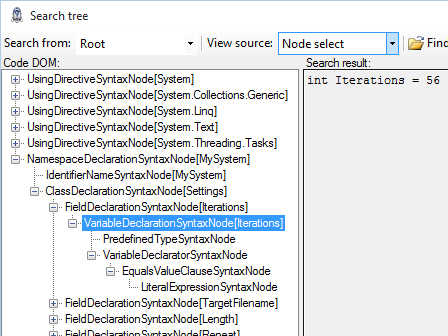
This example shows how to list the method invocations in a C# file. This is the file that will be read:
using System;
using System.Collections.Generic;
using System.Linq;
using System.Text;
using System.Threading.Tasks;

namespace ConsoleApplication1
{
  public class MyClass
  {
    public MyClass()
    {
      Console.WriteLine("Hello.");
      DoSomething();
      DoSomethingElse();
    }

    private void DoSomething()
    {
    }

    private void DoSomethingElse()
    {
    }
  }
}
To install CodeSearchTree in your Visual Studio project, type Install-Package CodeSearchTree in the package manager console. Your project must use .NET Framework 4.6 or higher.
The path to the first method invocation is ns/cls/constructor/block/expression/invocation, but since each invocation is located under an expression node, we will iterate through those. The code will list the three calls made in the constructor of the example class above.
//Load the C# class file.
var tree = CodeSearchTree.Node.CreateTreeFromFile(@"MyClass.cs");

//Get the first expression in the constructor.
var exp = tree.GetChild("ns/cls/constructor/block/expression");

while (exp != null)
{
  //Get the invocation and type out the source code.
  var invocation = exp.GetChild("invocation");
  if (invocation != null)
    Console.WriteLine(invocation.Source);

  //Get the next node. Note that the next node might be of any kind.
  exp = exp.GetNextSibling();
}
If you like to use the typed version of the CodeSearchTree API, your code should look like this:
//Load the C# class file.
var tree = CodeSearchTree.Node.CreateTreeFromFile(@"MyClass.cs");

//Get the first expression in the constructor.
var exp = tree.Ns.Cls.Constructor.Block?.Expression?.SearchResult;

while (exp != null)
{
  //Get the invocation and type out the source code.
  var invocation = exp.Invocation?.SearchResult;
  if (invocation != null)
    Console.WriteLine(invocation.Source);

  //Get the next node. Note that the next node might be of any kind.
  exp = exp.GetNextSibling();
}
The output in both cases will be the source code for the three invocations. But let’s say that you want the function names only. The names will be found in different places for different invocations. The first invocation a memberaccess node and two id nodes. The first is called Console and the second is the name of the function. The two other invocations consists of only one id node. We must look at two places. This code will list the three function names only.
//Load the C# class file.
var tree = CodeSearchTree.Node.CreateTreeFromFile(@"MyClass.cs");

//Get the first expression in the constructor.
var exp = tree.GetChild("ns/cls/constructor/block/expression");

while (exp != null)
{
  //Get the invocation and type out the source code.
  var invocation = exp.GetChild("invocation");
  if (invocation != null)
  {
    var id = invocation.GetChild("memberaccess/id[1]");
    if (id != null)
      Console.WriteLine(id.Name);
    else
    {
      id = invocation.GetChild("id");
      if (id != null)
        Console.WriteLine(id.Name);
    }
  }
  //Get the next node. Note that the next node might be of any kind.
  exp = exp.GetNextSibling();
}
Again, if you like to use the typed version of the CodeSearchTree API, your code should look like this:
//Load the C# class file.
var tree = CodeSearchTree.Node.CreateTreeFromFile(@"MyClass.cs");

//Get the first expression in the constructor.
var exp = tree.Ns.Cls.Constructor.Block?.Expression?.SearchResult;

while (exp != null)
{
  //Get the invocation and type out the source code.
  var invocation = exp.Invocation?.SearchResult;
  if (invocation != null)
  {
    //No need for SearchResult property since the indexer gives the search result.
    var id = invocation?.MemberAccess?.Id[1];
    if (id != null)
      Console.WriteLine(id.Name);
    else
    {
      id = invocation?.Id?.SearchResult;
      if (id != null)
        Console.WriteLine(id.Name);
    }
  }

  //Get the next node. Note that the next node might be of any kind.
  exp = exp.GetNextSibling();
}
Output:
WriteLine
DoSomething
DoSomethingElse
Project website: https://github.com/Anders-H/CodeSearchTree