Anders Hesselbom
Programmerare, skeptiker, sekulärhumanist, antirasist.
Författare till bok om C64 och senbliven lantis.
Röstar pirat.
The easiest way to get started with Basic
2012-01-22
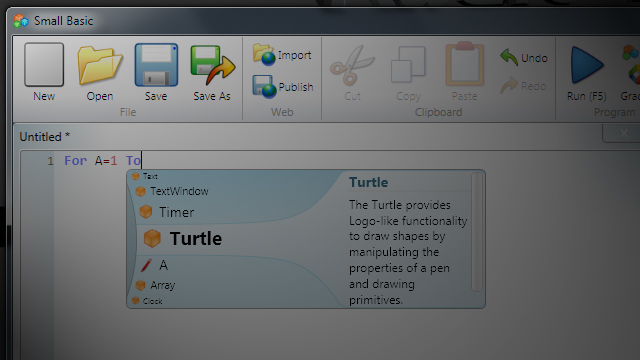
Let’s say that you’re not really a programmer, but perhaps an old Sinclair-user or Commodore user. What is the easiest way to get started with programming on a modern PC?
Install Microsoft Small Basic from here (it’s completely free). Click Download Small Basic, and just follow the instructions. When the installation is complete, you will have a start menu item that looks like this:

Now, things are really easy. A document is a program. Write your code and hit F5 to run it. Here I have written a Hello world program, started it, and the result is this:
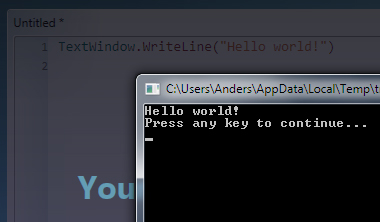
Press any key to continue editing.
Context help is always displayed to the right in the main windows of Small Basic, so that you will always know what the code you write actually does. And if you don’t know what to write at all, an easy tutorial can be found here.
Are you looking for a random number generator, try Math.GetRandomNumber. Specify the largest number you want. This code will display 100 numbers between 1 and 10.
For I=1 To 100
  TextWindow.WriteLine(Math.GetRandomNumber(10))
EndFor
Categories: Microsoft .NET
Tags: Small Basic
En kopp kaffe!
Bjud mig på en kopp kaffe (20:-) som tack för bra innehåll!


Följ mig

|

|

|

|

Leave a Reply